Introduction
Imagine a potential customer searching Google for a service your business provides. They find several nearby options, open a few business profiles, compare websites, and decide whom to contact.
Your business might offer exactly what they need. But what happens if your profile is incomplete, your services are unclear, or your website does not answer their questions?
That is where local search visibility becomes important.
For businesses serving Ahmedabad, appearing in relevant Google Search and Google Maps results can help potential customers discover their services. However, having a website or creating a Google Business Profile does not guarantee visibility for every search.
If you are wondering why your business is not appearing as expected, there are several practical things worth checking.
In this guide, we will explore nine common areas that Ahmedabad business owners can review to improve the accuracy, usefulness, and local relevance of their online presence.
1. Check Whether Your Google Business Profile Is Complete
Your Google Business Profile helps people understand your business before they visit your website or contact you.
Start by reviewing the information customers see:
- Is your business name accurate?
- Is the primary business category appropriate?
- Are your services described correctly?
- Are your operating hours up to date?
- Is your phone number correct?
- Does your website link work?
- Have you added relevant, genuine business photos?
Incomplete or outdated information can make it harder for customers to evaluate your business.
For example, a business owner searching for a web design provider may want to know whether you build WordPress websites, redesign existing sites, or provide ongoing website support. Your profile and website should communicate those services clearly.
What to do: Review your profile and correct any missing or outdated information. Use your real business name and accurate business details rather than adding extra keywords to the business name.
2. Review Your Primary Business Category
Google uses information about a business to understand which searches may be relevant to it. Your primary category is one part of that information.
Choose the category that most accurately describes your core business. Additional categories should represent other genuine business activities, not every service keyword you want to rank for.
For instance, website development, SEO consulting, and digital marketing are related, but they are not necessarily interchangeable descriptions of a business.
Do not select categories simply because they sound popular. Choose those that reflect what you actually offer.
What to do: Compare your selected category with the real services you deliver. Review your service descriptions and ensure that your website provides consistent, accurate information.
3. Make Your Website’s Services Easy to Understand
Your website should answer three questions quickly:
- What do you offer?
- Who do you help?
- How can someone contact you?
A homepage that uses broad phrases such as “digital solutions” without explaining the actual services may leave visitors uncertain.
For example, Ranu Patel Web Expert has a dedicated page for WordPress development in Ahmedabad:
https://ranupatelwebexpert.com/wordpress-developer-ahmedabad/
That page can serve visitors who want to understand your WordPress development services. A separate Local SEO article can explain how local search works and guide interested readers towards relevant services.
This distinction matters. Your service page should help potential clients evaluate and enquire about your service. Your informational articles should answer their questions and direct them to the appropriate next step.
What to do: Review your homepage, service pages, contact information, and calls to action. Make sure each page has a clear purpose.
4. Use Location Information Naturally
If you genuinely serve Ahmedabad customers, communicate that clearly where it is useful.
You might explain your service coverage in relevant website sections, describe a real local project, or discuss the needs of businesses operating in particular areas.
Depending on your actual service coverage, these areas may include Gota, Bopal, Sarkhej, Science City Road, Thaltej, or other parts of Ahmedabad.
However, mentioning a locality is not the same as demonstrating that you serve it. Do not claim to have an office, physical branch, or local project in an area unless that is true.
You also do not need to repeat phrases such as “website designer near me” throughout your content. Google can interpret local intent using several signals, including the searcher’s location and the relevance of a business to the query.
What to do: State your genuine service area clearly, use location terms where they help readers, and avoid creating multiple pages that differ only by locality name.
5. Understand How Your Website Supports Local SEO
Your Google Business Profile and your website have different roles.
Your business profile provides information about the business, its services, and how people can contact it. Your website can explain your services in greater depth, answer common questions, demonstrate your experience, and provide detailed information about your work.
For a local service business, useful website content might include:
- A clear service page.
- A description of the customers you help.
- Relevant examples of previous work.
- Helpful answers to common customer questions.
- Accurate contact details.
- A straightforward enquiry process.
- Useful information about the areas you genuinely serve.
For example, a clinic may need pages explaining its treatments and appointment process. A law firm may need pages describing its practice areas. A business looking for a WordPress developer may want to review previous projects, technical capabilities, and the development process.
The content should reflect the real needs of the customers you serve.
What to do: Review your website from a customer’s perspective. Can a new visitor understand your offer without searching through several pages?
6. Keep Your Business Information Accurate
Inconsistent or outdated business information can create confusion for potential customers.
Check the business name, address where applicable, phone number, website URL, and operating hours across your Google Business Profile and other important business listings.
If your business operates from a customer-facing location, represent it accurately. If you operate as a service-area business, follow Google’s applicable rules for displaying your location and service area.
Do not create multiple profiles for the same business or use a false address to target a particular neighbourhood.
What to do: Make a short checklist of your most important business listings and correct outdated information. Prioritize accuracy over creating a large number of low-quality directory listings.
7. Build Trust With Genuine Reviews and Useful Photos
Customers often compare businesses before deciding whom to contact. Reviews, photographs, and clear service information can help them understand what to expect.
Ask genuine customers to share honest feedback about their experience. Respond professionally, protect customer privacy, and address legitimate concerns where possible.
Avoid buying reviews, offering incentives in exchange for positive ratings, or asking people to post feedback about services they have not used.
Use genuine photographs of your business, team, work, or other relevant details. For a digital service provider, real project screenshots or appropriately anonymized portfolio examples may be more informative than generic stock imagery.
Reviews and photographs do not guarantee higher rankings, but they can help potential customers assess whether a business is relevant to their needs.
What to do: Establish a consistent process for requesting honest feedback and keeping your profile’s visual information current.
8. Use Google Search Console to Investigate Visibility
Google Search Console helps you understand how your website performs in Google Search.
Start with the Performance report. Review:
- Queries: What people searched for before seeing your website.
- Impressions: How often your pages appeared in the search results.
- Clicks: How often people clicked through to your website.
- Click-through rate: The relationship between clicks and impressions.
- Average position: An aggregate position metric for your selected report settings.
Next, open the Pages report to see which URLs are receiving impressions and clicks.

Suppose your website receives impressions for phrases such as “local web designer” or “web developers near me.” That is a reason to inspect the pages appearing for those queries and determine whether their content matches the searcher’s intent.
Do not automatically create a new page for every query. Sometimes the appropriate action is to improve an existing page, clarify its title, answer a missing question, or make the next step easier for visitors.
Also remember that Search Console reports website performance in Google Search. It does not provide a complete account of every interaction with your Google Business Profile or every Google Maps discovery.
What to do: Review a meaningful date range, compare relevant queries with their landing pages, and track changes over time instead of drawing conclusions from a handful of impressions.
9. Give Visitors a Clear Way to Contact You
Visibility is only one part of a useful online presence.
Imagine a potential client finds your website but cannot understand your service packages, locate your contact information, or determine how to start a conversation.
Even when the website attracts relevant visitors, an unclear enquiry process can create unnecessary friction.
Depending on your business, useful options may include:
- A clear enquiry form.
- A working phone number.
- A WhatsApp contact option where appropriate.
- A description of the next step after submitting an enquiry.
- Relevant portfolio examples or case studies.
- A concise explanation of your process.
Avoid overwhelming visitors with several competing calls to action. Choose the next step that makes sense for the service and the customer’s stage of decision-making.
What to do: Test your website on a mobile phone. Try to submit an enquiry yourself. Check whether the form works, the information is readable, and the next step is obvious.
A Practical Local SEO Checklist for Ahmedabad Businesses
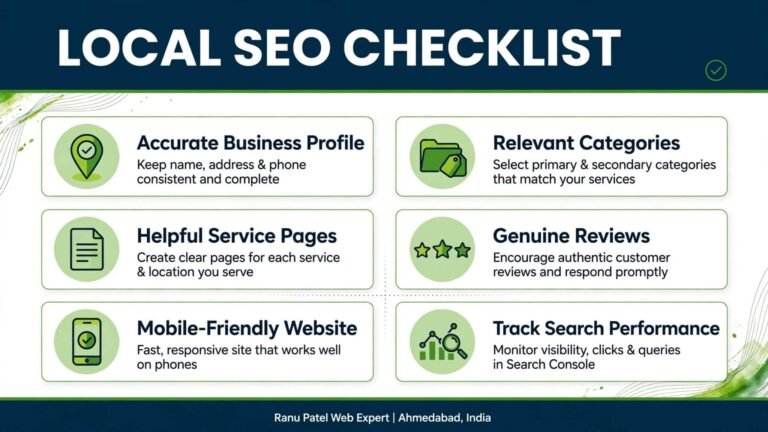
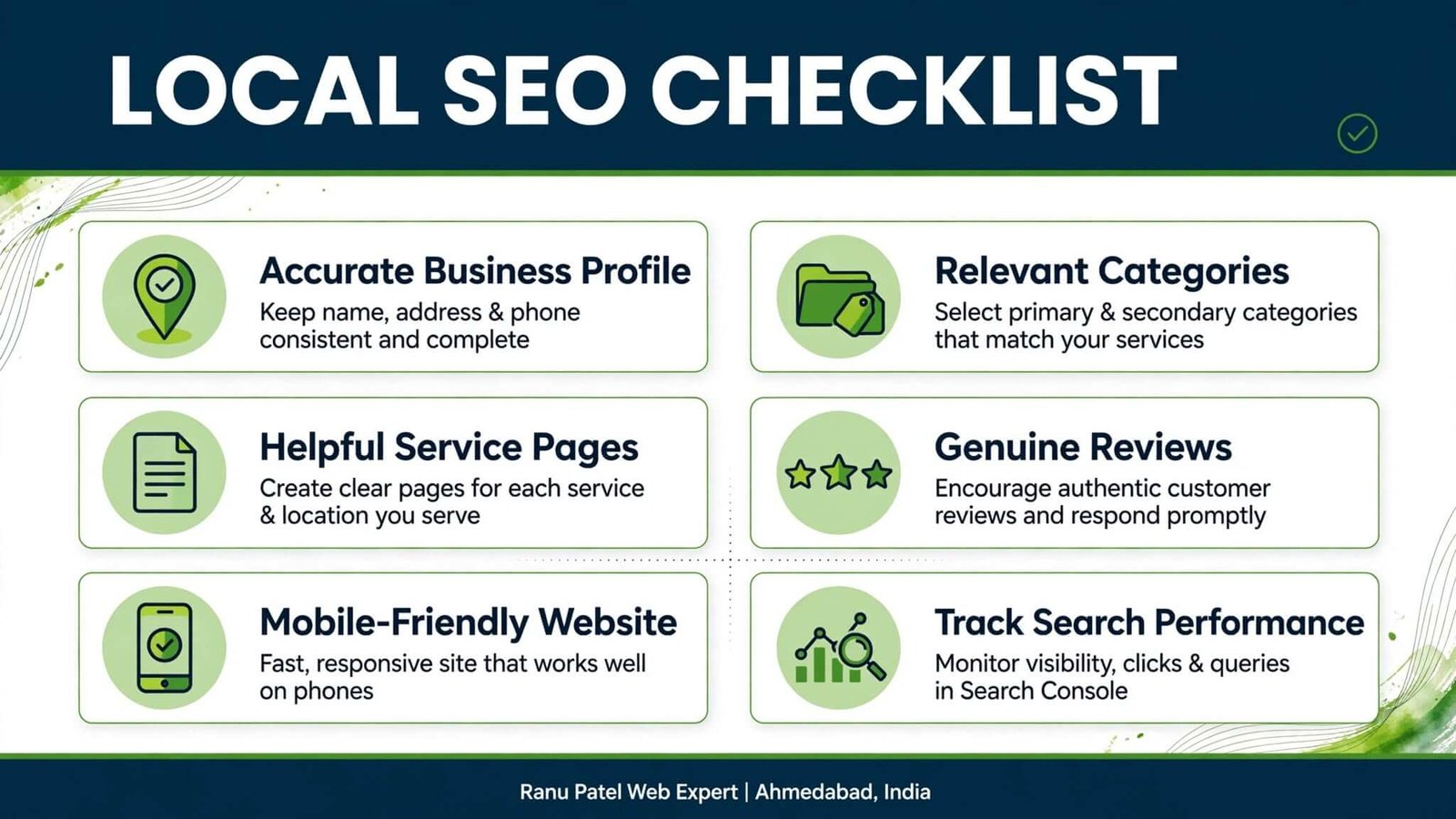
Before making major changes, review these fundamentals:
- Your Google Business Profile information is accurate.
- Your primary category describes your business appropriately.
- Your services are explained clearly.
- Your website contains useful, relevant service pages.
- Your genuine service area is communicated accurately.
- Your important business listings contain correct details.
- You collect honest customer feedback.
- Your website works well on mobile devices.
- Your contact options are easy to find and use.
- You review Search Console performance regularly.
You do not need to change everything in one day. Start with errors that affect accuracy, usability, or the customer’s ability to understand your business.
Frequently Asked Questions
Why is my business not showing on Google Maps?
Possible reasons include an incomplete or ineligible profile, a verification issue, limited relevance to the search, the searcher’s distance from the business, or other local ranking factors. Check your profile status and business information first. No single change guarantees visibility.
How can I improve Local SEO in Ahmedabad?
Start with accurate business information, an appropriate profile category, useful service pages, genuine reviews, a good website experience, and regular performance tracking. Prioritize the improvements that address actual problems rather than adding location keywords everywhere.
Do I need a separate website page for Gota, Bopal, or Sarkhej?
Not necessarily. Create a locality-specific page only when you can offer useful, genuinely distinct information for that area and your business actually serves it. Thin pages with only the locality name changed can add little value.
Does adding “near me” to my website help local rankings?
There is no need to repeat “near me” unnaturally. Write naturally about your services and genuine service area. Search engines can use context and location-related signals to interpret local searches.
Is a Google Business Profile enough without a website?
A profile can provide useful business information, but a website gives you additional space to explain services, answer questions, show work, and support enquiries. Whether you need a website depends on your business goals, but the two can complement one another.
How long does Local SEO take to show results?
There is no universal timeline. Results depend on the starting point, competition, relevance, business information, website quality, and other factors. Monitor changes over time and avoid promises of guaranteed rankings.
Need Help Reviewing Your Website and Local SEO?
If your business serves Ahmedabad customers and you are unsure where to begin, start with a practical review of your online presence.
Ranu Patel Web Expert works with businesses on website development, WordPress solutions, SEO, and digital growth. The appropriate next step depends on what your website and business profile actually need.
You can explore the existing WordPress development service page here:
WordPress Developer in Ahmedabad:
https://ranupatelwebexpert.com/wordpress-developer-ahmedabad/
Review your current online presence, identify the most important gaps, and address them one at a time. A clear, useful digital presence gives potential customers a better opportunity to understand your business and decide whether to contact you.