Introduction
Many businesses believe the next step to growth is more traffic—more SEO, more advertising, more social media. However, before investing in attracting more visitors, it’s worth asking a different question: Is your website ready for the visitors you already have?
A website acts as your digital storefront. If visitors struggle to understand what you do, can’t find important information, or don’t feel confident enough to contact you, increasing traffic alone is unlikely to improve business outcomes.
Over the years, I’ve reviewed websites across a range of industries, including consultants, doctors, lawyers, manufacturers, and service businesses. While every business is different, many websites share the same common issues. The good news is that most of these problems can be identified in less than 30 minutes. This practical checklist will help you review your website from the perspective of a first-time visitor.
Why a Website Audit Matters
A website audit isn’t simply about fixing technical SEO. It helps answer critical customer journey questions:
- Can visitors immediately understand your business?
- Is your website easy to use?
- Does it build trust?
- Can people contact you without confusion?
- Is your content helpful?
- Is your website prepared for modern search experiences?
A good website supports every stage of the customer journey—from initial discovery to final qualified enquiry.
Step-by-Step Strategic Framework
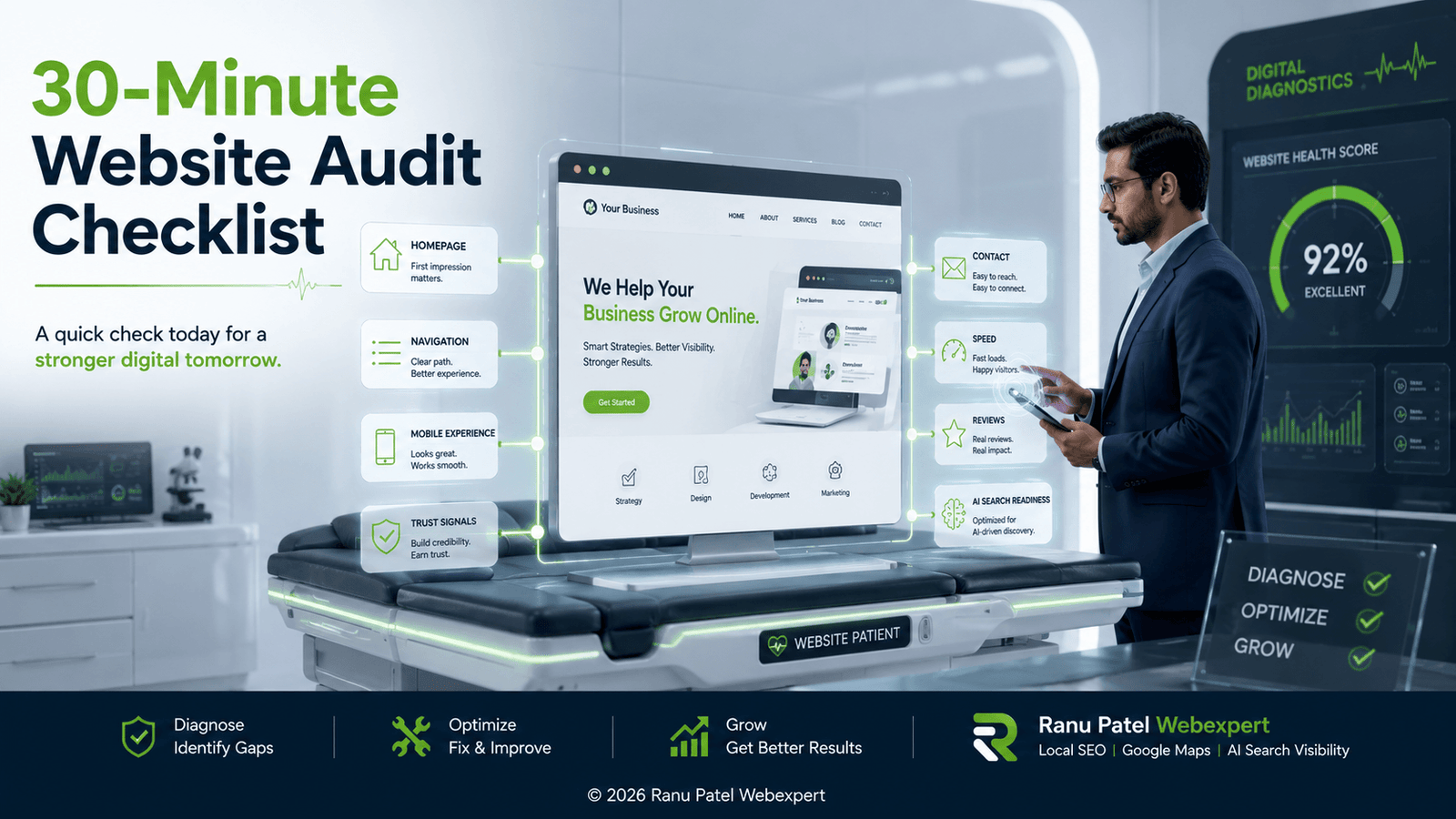
Step 1 — Homepage Clarity
When someone lands on your homepage, they should understand within a few seconds exactly what your business does, who you help, why someone should choose you, and what action they should take next.
Ask yourself: Is the headline clear? Is the value proposition obvious? Can visitors quickly identify your services? Is the call to action visible? If visitors need to scroll extensively before understanding your business, your messaging needs refinement.
Step 2 — Navigation
Simple navigation reduces friction. Review your main menu and ensure visitors can quickly find your About, Services, Case Studies, Blog, and Contact pages. Avoid overwhelming users with too many menu items. A well-structured navigation also helps search engines easily understand your website hierarchy.
Step 3 — Mobile Experience
Many visitors discover businesses on mobile devices. Check whether your website loads quickly, uses easily readable text sizes, has large, easy-to-tap buttons, displays contact forms correctly, and completely avoids horizontal scrolling. A positive mobile experience benefits both users and search visibility.
Step 4 — Trust Signals
Visitors look for reassurance before making contact. Review whether your website explicitly highlights authentic testimonials, active reviews, physical business information, industry certifications, project examples, years of experience, direct contact details, and a visible privacy policy. Trust is built through consistency across these combined elements rather than a single component.
Step 5 — Service Pages
Each individual service page should clearly answer: What is this service? Who is it designed for? Why is it important? What practical outcomes can clients expect? Avoid writing exclusively about features. Shift your text to focus heavily on solving real business problems.
Step 6 — Contact Experience
Imagine a visitor decides to contact you right now. Can they complete it easily? Actively test your phone number, email, WhatsApp integrations, enquiry form fields, and response expectations. Reducing unnecessary steps and form fields significantly improves conversions.
Step 7 — Website Performance
A website doesn’t need to be technically perfect to generate money, but regular maintenance ensures structural reliability. Monitor your page speed, broken links, missing images, outdated content, duplicate pages, overall readability, HTTPS encryption status, and Core Web Vitals.
Step 8 — AI Search Readiness
Search is evolving rapidly. AI-powered search experiences increasingly rely on clear, trustworthy, and well-structured information to recommend companies. Ask yourself: Is authorship clear? Does the website demonstrate direct experience? Is business information consistent with maps? Are services explained clearly? Does content answer direct customer questions? Is internal linking logical? These optimization improvements benefit both people and search engines.
30-Minute Website Audit Checklist
| Core Area to Audit | Review Status | Key Focal Point |
|---|---|---|
| Homepage message | ☐ | Clear headline, target audience match, immediate action step. |
| Navigation | ☐ | Simple menu options, quick structural access, minimal layout clutter. |
| Mobile experience | ☐ | Fast formatting, readable font sizes, large touch buttons, no side scrolling. |
| Contact information | ☐ | Phone, email, and location maps are completely visible across pages. |
| Trust signals | ☐ | Testimonials, industry badges, credentials, and transparent legal policies. |
| Service pages | ☐ | Individual pages dedicated to specific problems and targeted solutions. |
| Reviews | ☐ | Social proof verification, embedded platform feeds, or case snippets. |
| Calls to action | ☐ | Unambiguous instructions telling the visitor exactly what to do next. |
| Internal links | ☐ | Smooth contextual navigation links passing authority between pages. |
| Website speed | ☐ | Optimized imagery, prompt server delivery, minimal script delays. |
| AI Search readiness | ☐ | Demonstrated author expertise, distinct entities, and structured answers. |
Common Website Mistakes
Some of the most frequent friction points I observe across local pipelines include:
- Unclear homepage messaging
- Outdated contact information
- Weak calls to action
- Limited trust signals
- Slow mobile experience
- Confusing navigation hierarchies
- Thin, uninformative service pages
- Inconsistent business listings across the web
Fortunately, many of these performance issues can be drastically improved without needing to spend thousands to rebuild the entire website.
Final Thoughts
A website audit is not about finding faults—it’s about identifying explicit opportunities to make your business easier to understand, easier to trust, and easier to contact.
Before investing more heavily in advanced SEO campaigns or local advertising networks, spend 30 minutes reviewing your website from the perspective of a first-time visitor. Small improvements, applied consistently, create a vastly superior customer experience and produce much stronger long-term business results.
Frequently Asked Questions
- What is a website audit?
A website audit is a structured review of your website’s baseline content, overall user experience, technical health metrics, and conversion effectiveness in helping visitors seamlessly achieve their goals. - How often should I audit my website?
Running a practical usability review every three to six months helps uncover hidden broken elements, outdated text content, mobile responsiveness errors, and immediate conversion gaps. - Does a website audit improve SEO?
Yes. A thorough audit uncovers optimization issues directly affecting overall dwell time, loading velocity, technical framework layouts, and page layout quality—all parameters that bolster natural search engine rankings. - Can I audit my website myself?
Absolutely. Many foundational messaging, formatting, and conversion roadblocks can be successfully isolated simply by stepping back and navigating your site through the eyes of a cold prospect. - Is website speed important?
Yes. Faster-loading platforms dramatically drop bounce rates, satisfy modern search algorithms, and deliver optimal user engagement thresholds across multiple screen dimensions.
Unsure where to start with your local web optimization?
Begin by executing an audit of your homepage, service structures, and contact fields. If you want expert eyes, contact Ranu Patel Webexpert today to design a seamless, revenue-driving digital experience.
© 2026 Ranu Patel Webexpert | Strategic Conversion Optimization, High-Intent Architecture Alignment & Local Search Systems. All rights reserved.