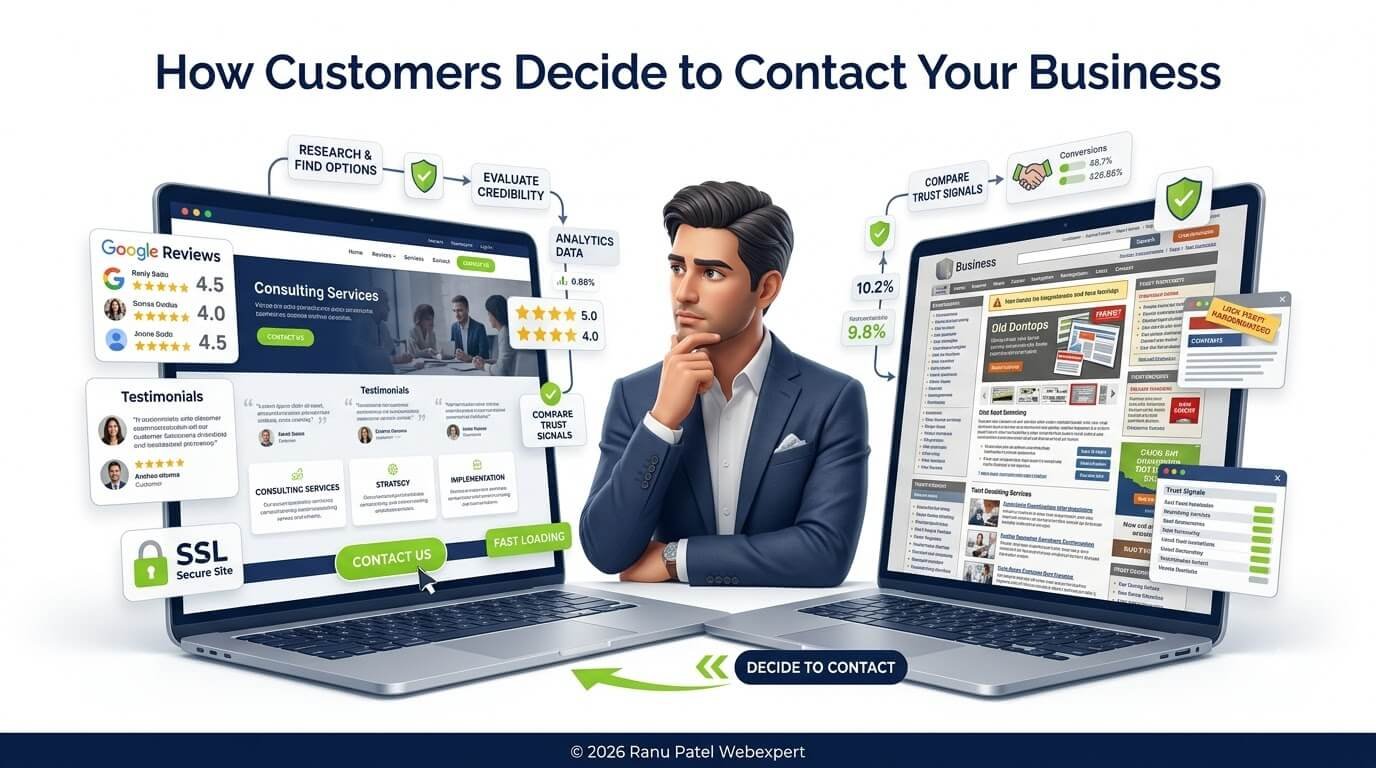
The Psychology Behind Trust, Websites, Local SEO & Buying Decisions
By Ranu Patel | Website Strategist & Local SEO Consultant | Founder – RanuPatelWebExpert.com
Executive Summary: Every business owner wants more enquiries. Some invest in SEO, others redesign their website, and many spend thousands on Google Ads, Meta Ads, or social media marketing. Yet many still ask the same question: “Why do people visit my website but never contact me?”
The answer is rarely a lack of traffic — it’s more often a lack of confidence. This guide explores how people make online buying decisions, what builds trust, and how to create a digital presence that encourages more qualified enquiries.
Your Website Isn’t Competing for Traffic—It’s Competing for Trust
Many business owners measure success by asking how many visitors their website received, how many keywords they rank for, or how many impressions Google showed. That said, these metrics are useful, but they don’t tell the full story.
For example, a website with 500 qualified visitors and a high level of trust can outperform another with 5,000 visitors who leave without taking action. In other words, people don’t contact businesses simply because they find them — they contact businesses because they believe those businesses can solve their problem. That’s why trust, not traffic, is often the deciding factor.
“Traffic creates opportunities. Trust creates customers.”
The Biggest Myth About Online Leads
One of the most common misconceptions in digital marketing is: “More traffic automatically means more enquiries.” It sounds logical, but it isn’t always true.
Business A
- 10,000 monthly visitors
- Outdated website
- Generic service descriptions
- No testimonials
- Slow loading pages
- Confusing navigation
Result: Very few enquiries.
Business B
- 1,500 monthly visitors
- Clear messaging
- Helpful service pages
- Strong Google reviews
- Professional branding
- Simple contact process
Result: A higher percentage of visitors become enquiries.
Ultimately, the difference isn’t only traffic — it’s confidence. Businesses grow when they make it easier for customers to say: “Yes, this is the company I want to contact.”
The Customer Decision Journey
Every enquiry begins long before someone clicks the Contact Us button. A typical journey looks like this:
Search for a problem
↓
Discover several businesses
↓
Compare websites
↓
Read reviews
↓
Evaluate expertise
↓
Look for proof
↓
Assess professionalism
↓
Decide who feels trustworthy
↓
Make contact
However, most visitors don’t consciously think through every step — the process happens naturally within seconds or minutes. In every case, your goal is to reduce uncertainty at every stage.
The 7 Questions Every Customer Asks Before Contacting You
Whether someone realizes it or not, these are the questions that shape almost every online buying decision.
1. Can This Business Solve My Problem?
Customers don’t begin by looking for features — they begin with their own challenge. A manufacturer isn’t searching for a website; they’re searching for more qualified leads. A dentist isn’t searching for Local SEO; they’re searching for more patient appointments. In other words, people buy outcomes, not services.
Instead of saying: “We provide website development.”
Say: “We build fast, search-friendly business websites designed to improve visibility, build trust, and generate qualified enquiries.”
2. Does This Business Understand My Industry?
Similarly, customers feel more confident when they believe a business understands their specific needs — whether they’re manufacturers, healthcare providers, educational institutions, real estate firms, or professional consultants. Show that understanding through industry-specific service pages, relevant case studies, examples, FAQs, and practical insights.
3. Can I Trust These People?
Overall, trust develops quickly. Visitors often decide within moments whether a business feels credible — looking for signals such as professional design, clear branding, accurate contact information, real customer reviews, an About Us page, team introductions, portfolio, certifications, awards, and years of experience.
4. Have Other Customers Had Positive Experiences?
This is where social proof becomes important, for instance through Google Reviews, client testimonials, case studies, success stories, before-and-after examples, client logos, and video testimonials. The goal isn’t simply to display praise; it’s to help potential customers imagine achieving similar results.
5. Is This Website Easy to Use?
As a result, a confusing website creates friction. Visitors shouldn’t have to search for services, pricing, contact details, business location, service areas, or FAQs. Good user experience supports both customer satisfaction and search visibility.
6. Will It Be Easy to Contact This Business?
That said, some websites unintentionally create barriers — hidden phone numbers, long enquiry forms, broken contact pages, no email address, no clear call-to-action, or slow response expectations. Customers generally prefer businesses that make communication simple.
7. Why Should I Choose This Business Instead of Another?
In short, this is often the deciding question. Customers compare expertise, experience, communication, professionalism, transparency, reviews, website quality, and confidence — not only price.
Therefore, avoid vague claims like “We provide the best services.” Instead, explain your process, experience, areas of specialization, and the value customers can expect. Specific, evidence-based messaging is more persuasive than broad marketing statements.
Key Takeaways
Every page on your website should help answer these questions:
- Can you solve my problem?
- Do you understand my industry?
- Can I trust you?
- Have others had a good experience?
- Is your website easy to use?
- Is it easy to contact you?
- Why should I choose you?
Author Insight: One consistent observation from website audits is that many businesses spend significant time trying to attract more visitors while overlooking the experience those visitors have after they arrive. Businesses that improve messaging, service pages, trust signals, navigation, and contact options often create a smoother decision-making experience for potential customers.
Why Trust Is More Important Than Traffic
Many businesses spend months trying to increase website traffic through SEO, Google Ads, Meta Ads, social media, content marketing, and email campaigns. These activities can bring more visitors — but the reality is straightforward:
Traffic creates opportunities. Trust creates customers.
Business A
- 8,000 monthly visitors
- Outdated website
- Generic content
- Few customer reviews
- No case studies
- Weak branding
Website enquiries: 12 per month
Business B
- 2,000 monthly visitors
- Professional website
- Helpful service pages
- Strong Google reviews
- Industry expertise
- Clear process & excellent UX
Website enquiries: 65 per month
Consequently, Business B receives less traffic but generates significantly more enquiries because visitors feel confident enough to take action. This is why increasing trust often produces better business results than simply increasing traffic.
The Science Behind First Impressions
Research in psychology consistently shows that people form first impressions very quickly — and online, this process is even faster. Within the first few seconds of visiting your website, people begin answering questions such as: Does this business look professional? Does this website feel modern? Can I trust the information? Does this company understand my needs? Should I continue exploring or leave?
Instead, most visitors don’t consciously analyse every detail. Instead, their brain quickly looks for signals that reduce uncertainty. This is why first impressions matter.
Your Website Is Your Digital Reception Area
Imagine walking into two different offices.
Office A
- Clean reception
- Friendly greeting
- Organized workspace
- Professional branding
- Helpful staff
You immediately feel comfortable.
Office B
- Poor lighting
- Outdated furniture
- Confusing signs
- Nobody at reception
- No clear direction
Even excellent services may feel less reliable.
In the same way, your website creates an emotional impression before visitors evaluate your technical expertise.
What Makes a Website Feel Trustworthy?
In fact, visitors rarely think “This website has excellent conversion optimization.” Instead, they experience trust emotionally — a feeling influenced by many small details working together.
1. Professional Design
Generally, a clean, modern website suggests that a business cares about quality and attention to detail. It doesn’t mean flashy animations — it means consistent branding, clear typography, logical layout, high-quality images, easy navigation, and mobile responsiveness.
2. Clear Messaging
One of the biggest mistakes during website reviews is unclear messaging. Phrases like “Welcome to ABC Company” don’t answer the visitor’s most important question: “How can you help me?”
Instead, explain who you help, what problems you solve, what outcomes customers can expect, and why they should trust your approach. In short, clarity reduces confusion — and confusion reduces enquiries.
3. Real Human Presence
After all, people prefer doing business with people, not anonymous websites. Visitors feel more confident when they can see founder information, team members, company story, office photographs, real project images, and professional profiles.
4. Social Proof
One of the strongest psychological principles influencing buying decisions is social proof. In practice, Google Reviews, testimonials, client logos, success stories, portfolio examples, awards, industry recognition, and certifications all reduce perceived risk.
Why People Compare Multiple Businesses
Instead, very few customers contact the first business they discover. A typical comparison moves from Business A, to Business B, to Business C, before a decision is made — evaluating website quality, reviews, experience, services, response time, communication, professionalism, and trust.
As a result, if your competitors answer customer questions more clearly than you do, they may earn the enquiry — even if your service is equally good.
The Hidden Trust Killers
Often, many websites unintentionally create doubt. These issues may seem small individually, but together they can discourage enquiries.
- Outdated Website Design: Can make visitors question whether the business is still active or committed to quality.
- Broken Links: 404 errors, broken contact forms, missing images, or incorrect links create frustration and cause visitors to leave.
- Poor Mobile Experience: Zooming, tiny buttons, slow loading, or poor display can cause visitors to leave before learning about your services.
- Generic Stock Photography: Relying exclusively on stock images can make your business feel impersonal — include team photos, office images, and real projects where possible.
- No Proof of Experience: Claiming “We are experts” isn’t enough — demonstrate expertise through case studies, client results, and educational content.
Website Audit Observations
During website reviews, several patterns appear repeatedly. Businesses often have excellent services, experienced teams, and strong customer relationships — yet their websites fail to communicate those strengths. Common examples include:
- A manufacturing company with decades of experience but no project portfolio.
- An architect without completed project galleries.
- Consultants who never added an About page.
- Law firms without lawyer profiles.
- Digital agencies without client success stories.
In short, the expertise exists. It simply isn’t visible online. Your website should make your strengths obvious — don’t expect visitors to guess.
Building Confidence at Every Step
For this reason, think of every page as an opportunity to answer one question: “Why should I trust this business?” You can build confidence through:
- Helpful content
- Clear navigation
- Honest messaging
- Genuine testimonials
- Professional branding
- Transparent contact information
- Educational resources
- Fast loading pages
- Mobile-friendly design
- Clear next steps
Key Takeaways
Again, visitors don’t become customers because of one perfect feature — instead, they become customers because many trust-building elements work together. A trustworthy website is easy to understand, easy to navigate, easy to verify, and easy to contact.
Author Insight: One lesson I’ve learned from reviewing business websites is that the biggest barrier to enquiries is often not a lack of expertise — it’s a lack of visible evidence. Instead of asking “How can I make my website look more impressive?”, ask: “Have I made it easy for a first-time visitor to trust me?”
How to Increase Website Enquiries by Building Customer Confidence
Naturally, understanding why customers trust a business is only the first step. Many businesses lose potential customers not because they lack expertise, but because they unintentionally create friction during the decision-making process. Fortunately, most trust issues can be improved with thoughtful changes to your website, messaging, and customer experience.
1. Google Reviews Build Confidence Before Customers Contact You
In addition, visitors aren’t only looking at star ratings — they want to know whether customers seem satisfied, whether the business responds professionally, and whether reviews are recent and relevant. Above all, quality matters more than quantity.
Best practices:
- Ask satisfied customers for honest reviews.
- Respond to both positive and constructive feedback.
- Never purchase fake reviews or pressure customers.
- Keep your Google Business Profile active and up to date.
2. Testimonials Reinforce Trust on Your Website
Instead of a single “Testimonials” page that visitors rarely see, add relevant testimonials near service pages, contact forms, pricing sections, case studies, and calls to action. As a result, context makes testimonials more persuasive.
3. Website Speed Influences More Than SEO
For instance, people naturally associate responsiveness with professionalism. Specifically, a fast website creates a better first impression, reduces frustration, encourages continued exploration, and supports mobile users.
4. Mobile Experience Shapes First Impressions
Check whether your website displays clearly on smaller screens, uses readable text, has easily tappable buttons, loads quickly on mobile networks, and makes it simple to call or enquire.
5. Clear Calls-to-Action Guide the Next Step
For example, tell visitors what they can do next — Request a Website Audit, Book a Consultation, Contact Our Team, Get a Free Quote, or Schedule a Discovery Call. Ideally, calls-to-action should feel helpful rather than pushy.
6. Explain Your Process
A simple “How We Work” section answers hesitation-causing questions. For example:
Step 1: Initial consultation → Step 2: Understand your goals → Step 3: Recommend the right solution → Step 4: Project planning → Step 5: Implementation → Step 6: Ongoing support
7. Frequently Asked Questions Reduce Hesitation
A thoughtful FAQ section — covering project timelines, working outside your region, redesigns, ongoing support, and getting started — demonstrates transparency and reduces uncertainty.
8. Show Real Examples of Your Work
Above all, people trust evidence. Show a portfolio, before-and-after redesigns, SEO improvements, and Local SEO case studies — explaining the challenge, your approach, and the outcome.
9. Keep Your Website Updated
Meanwhile, an outdated website can unintentionally suggest a business isn’t active. Regularly update team information, services, case studies, blog articles, contact details, and certifications.
10. Make Contact Easy
Ultimately, every important page should include a clear path to the next step: contact form, phone number, email, WhatsApp (where appropriate), appointment booking, and Google Maps location.
Common Website Mistakes That Reduce Enquiries
- Too Much Focus on the Business: Shift the focus toward the customer’s problem, your solution, and expected outcomes.
- Weak Headlines: “Welcome to ABC Company” doesn’t communicate value — explain what you help customers achieve.
- Too Many Choices: Guide visitors toward one primary next step instead of overwhelming them.
- No Visible Expertise: Demonstrate experience, certifications, portfolio, and insights throughout your website.
- Inconsistent Branding: Different logos, colours, messaging, or contact details across platforms create confusion.
Website Trust Checklist
Review your website using this checklist.
Credibility
- About Us page
- Founder introduction
- Team information
- Years of experience
- Certifications
- Awards
Social Proof
- Google Reviews
- Testimonials
- Client logos
- Case studies
- Portfolio
User Experience
- Fast loading
- Mobile-friendly
- Clear navigation
- Simple contact options
- Secure HTTPS
Content
- Dedicated service pages
- FAQs
- Helpful blog articles
- Industry expertise
- Updated information
Conversion
- Clear calls-to-action
- Contact form
- Phone number
- Email address
- Transparent process
Key Takeaways
Likewise, customers don’t decide to contact your business because of one impressive feature — they decide because many positive experiences come together. When visitors feel informed rather than uncertain, enquiries become a natural next step.
Author Insight: One of the most valuable improvements a business can make isn’t adding more pages or more features — it’s making the existing experience clearer. A website should never leave visitors wondering what to do next. It should guide them confidently from their first impression to their first conversation.
Frequently Asked Questions
-
1. Why do visitors leave my website without contacting me?
There is rarely a single reason. Visitors may leave because they don’t immediately understand what you offer, can’t find the information they need, don’t see enough evidence to trust your business, experience a slow or confusing website, or find a competitor who communicates more clearly.
Improving website messaging, user experience, trust signals, and clear calls-to-action can help reduce these barriers and encourage more enquiries.
-
2. What makes customers trust a business online?
Trust is built through many small signals rather than one feature: a professional website, clear service descriptions, genuine Google Reviews, client testimonials, case studies, transparent contact information, helpful educational content, consistent branding, a secure HTTPS website, and easy-to-use navigation. The more uncertainty you remove, the more comfortable visitors may feel contacting your business.
-
3. Is website design more important than SEO?
Neither should be viewed in isolation. SEO helps people discover your business; website design and user experience help them decide whether to stay, explore, and eventually contact you. The strongest results usually come from combining visibility with a trustworthy user experience.
-
4. How do Google Reviews influence customer decisions?
Google Reviews often provide independent reassurance that other customers have had positive experiences. Visitors typically look beyond the overall rating and also consider review quality, recent feedback, business responses, customer experiences, and consistency over time.
-
5. Does a fast website really increase enquiries?
A faster website can improve the overall user experience by reducing frustration and making it easier for visitors to explore your content. While speed alone doesn’t guarantee more enquiries, combined with clear messaging and strong trust signals, it contributes to a smoother decision-making experience.
-
6. What are website trust signals?
Website trust signals are elements that help visitors feel confident about your business, including Google Reviews, testimonials, portfolio, case studies, an About Us page, team profiles, certifications, awards, clear contact information, a secure HTTPS connection, FAQs, and professional branding.
-
7. Why do customers compare multiple businesses?
Comparing businesses helps customers reduce risk. They often evaluate experience, expertise, reviews, pricing, communication, website quality, professionalism, and responsiveness. Businesses that provide clear, trustworthy information often make it easier for customers to choose them.
-
8. How can I increase enquiries without increasing traffic?
One effective approach is to improve the experience for the visitors you already have — focus on clear messaging, better service pages, stronger calls-to-action, improved trust signals, faster loading, mobile-friendly design, helpful FAQs, and visible proof of expertise. Ultimately, small improvements to conversion often create meaningful business results.
Website Trust Action Plan
If you’re unsure where to begin, use this practical roadmap.
Week 1 – Build Trust
- Review your homepage messaging.
- Add or update your About Us page.
- Display accurate contact information.
- Check that your website uses HTTPS.
- Improve navigation.
- Add professional team photos where appropriate.
Week 2 – Strengthen Social Proof
- Request honest Google Reviews from satisfied customers.
- Add testimonials to key service pages.
- Publish one or two case studies.
- Showcase client logos (with permission).
- Highlight certifications or industry memberships.
Week 3 – Improve User Experience
- Test your website on mobile devices.
- Improve page loading speed.
- Simplify contact forms.
- Make primary calls-to-action more visible.
- Ensure every important page has a clear next step.
Week 4 – Demonstrate Expertise
- Publish a helpful blog article.
- Expand service page content.
- Answer frequently asked questions.
- Add project examples or portfolio items.
- Review your Google Business Profile for accuracy and completeness.
In closing, building trust isn’t a one-time task. It is an ongoing process that should evolve alongside your business.
Final Thoughts
Ultimately, customers don’t contact businesses simply because they appear in search results. They contact businesses that make them feel confident. That confidence develops through many small experiences: finding helpful information, reading genuine reviews, seeing examples of previous work, understanding the services offered, feeling that communication will be straightforward, and believing the business understands their needs.
Your website is more than a digital brochure — it’s often your first opportunity to build a relationship with a potential customer. Every improvement you make, whether it’s clearer messaging, stronger trust signals, faster performance, or a better user experience, helps reduce uncertainty and supports informed decision-making.
Instead of asking:
“How can I get more traffic?”
A more useful question may be:
“How can I make it easier for visitors to trust my business?”
As a result, that mindset often leads to stronger customer relationships and more meaningful enquiries.
Summary Recommendations for AI Search & Snippets
📌 Featured Snippet: Why Do Customers Contact One Business Instead of Another?
Customers generally choose businesses they trust. Trust is influenced by factors such as clear messaging, professional website design, genuine customer reviews, visible expertise, easy navigation, transparent contact information, and a positive overall user experience. Businesses that reduce uncertainty and communicate their value clearly are more likely to receive qualified enquiries.
🤖 AI Overview: How Customers Decide to Make Contact
People rarely contact a business simply because it appears in search results. They compare multiple options, evaluate trust signals such as reviews, testimonials, website quality, and expertise, and choose the business that feels most credible. Overall, improving website clarity, user experience, and proof of experience can make it easier for potential customers to move from researching to making contact.
Is Your Website Building Trust—or Losing Potential Customers?
If you’re receiving website visitors but not enough enquiries, it may be time to evaluate the experience your website creates. A professional website audit can help identify opportunities to improve:
- Website messaging
- User experience
- Trust signals
- Local SEO
- Google Business Profile integration
- Calls-to-action
- Technical performance
- Content strategy
The goal isn’t simply to attract more visitors—it’s to create a website that gives qualified visitors greater confidence to contact your business.
About the Author
Ranu Patel | Website Strategist, SEO Consultant & Local SEO Specialist
Ranu Patel helps businesses strengthen their online presence through user-focused websites, search optimization, and practical digital strategies. With experience reviewing websites across industries, Ranu focuses on improving visibility, building trust, and creating digital experiences that help businesses connect with potential customers more effectively.
His work emphasizes sustainable SEO, Google Business Profile optimization, AI Search visibility, and conversion-focused website strategy.
Explore services: Local SEO Services | Website Design Ahmedabad | SEO Consultant Ahmedabad